




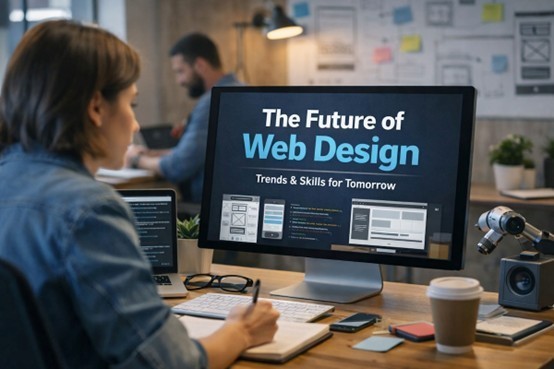
Web development isn’t slowing down. If anything, it’s picking up speed in directions we didn’t quite expect. New design patterns, changing user habits, better tools, and tighter deadlines—this mix keeps web designers on their toes. If you're working in this field, or thinking of jumping in, now's a good time to look ahead and figure out what’s coming next.
This isn’t about throwing out the old playbook. It’s about keeping what works and adding what’s needed.
Let’s break down what designers should really be paying attention to right now if they want to stay ahead.
1. Mobile-First is the Bare Minimum Now
A few years back, “mobile-first” was a suggestion. Now it’s the default. If your site doesn’t run smoothly on phones, you’re losing visitors before they even get a chance to care about what you offer.
But here’s the thing: just making a site responsive isn’t enough anymore. You’ve got to design for touch, think about thumb-friendly navigation, and consider how fast people scroll on mobile. Quick interactions. Minimal typing. Big, tappable buttons. That’s the direction users are heading.
And don’t forget dark mode. More apps and systems are using it, so your design should be ready to support both light and dark versions if needed.
Also read: Website Management Services Aren’t Just Maintenance
2. Design and Development Are Not Separate Worlds Anymore
The line between UI/UX design and front-end development is getting blurrier. Tools like Figma, Webflow, and Framer are bridging the gap. Designers can now build interactive prototypes that function almost like live websites.
That means designers need to understand how code works—even if they don’t write it. Knowing the basics of HTML, CSS, and how layout systems like Flexbox or Grid behave can seriously improve communication with developers. And projects move faster when designers know what’s technically possible.
If your team needs help bridging that design-to-code gap, it might be time to Hire UI/UX Designers who already work with modern tools and can carry the project through its early build stages.
3. Performance is Design
Think design is all about looks? Think again. If your website takes too long to load, nobody’s going to wait around to see how pretty it is.
Page speed is part of design now. That means image compression, font loading strategies, and animation choices all matter. A slow site isn’t just frustrating—it hurts conversions, increases bounce rate, and tanks SEO.
Lightweight design doesn’t mean boring. It means smart. Trim the fat. Use scalable vector graphics (SVGs), fewer scripts, and think twice before adding that third-party widget.
Want a better grasp on how performance impacts redesign projects? Check out this website redesign guide. It walks through the steps and shows how to avoid the usual speed traps.
4. Accessibility Isn’t Optional
Too many sites still treat accessibility like a “nice-to-have” feature. That’s not just outdated—it’s a missed opportunity. Around 1 in 4 adults in the U.S. live with a disability. If your design doesn’t work for them, you’re pushing away a large group of users.
Color contrast, keyboard navigation, screen reader support, clear hierarchy—these aren’t extras. They’re essentials.
Designers need to be part of this conversation from day one. Don’t just rely on developers or third-party audits to fix things later. Build access into the process right from the wireframe.
5. AI Tools Are Coming for the Repetitive Stuff
Okay, we won’t go deep into the tech buzzwords here. But it’s hard to ignore the wave of tools that can auto-generate layouts, write placeholder text, or suggest design tweaks.
No, they won’t replace good designers. But they will handle repetitive or low-impact tasks. That frees you up to focus on strategy, experience, and emotion.
Don’t fight the tools. Learn how to use them. Think of them like a calculator—helpful for fast answers, but not a replacement for critical thinking.
6. Micro-Interactions Make a Big Difference
Hover effects. Button feedback. Form validation that doesn’t feel like a chore. These little moments of interaction help users feel more in control—and more connected to your product.
But they need to be subtle and purposeful. No flashy animations just for show. You’re not trying to impress people with motion; you’re guiding them through an experience.
Designers should plan for micro-interactions early. Talk to developers about how they’ll be built. These touches are part of the user journey, not add-ons.
7. Real Content Beats Lorem Ipsum
Designing with placeholder text and stock images? That’s becoming less common—and for good reason.
When you use real content in your design mockups, you spot issues earlier. Things like broken layout flows, awkward line breaks, or misaligned tone show up right away. That saves time and money later.
Clients want to see what the final product might actually look like. Giving them lorem ipsum and vague image blocks doesn’t help them visualize the real thing.
Plus, content strategy and design should move together. A message can influence layout. A layout can shape a message. These aren’t separate jobs anymore.
8. Costs Are Still a Huge Factor (But Often Misunderstood)
Many clients come in with no idea what a website should cost. Some expect it for a few hundred bucks. Others think they need to drop tens of thousands right away. Neither approach works without context.
As a designer, you don’t have to become a pricing expert—but you should understand the value of your time and effort. And you should be able to talk clearly about what affects cost.
Pages, functionality, integrations, custom features—all of it adds up.
Want a breakdown that’s easy to understand? This website design cost guide lays it out clearly. It’s a good reference if you ever need to help a client set realistic expectations.
9. Templates Are Fine. Just Don’t Copy-Paste
Not every website needs to be built from scratch. There are plenty of great design templates out there. They save time and offer a solid starting point.
But templates are just that—a start.
If every site you build looks like the theme demo, that’s a problem. Customize. Change layouts. Swap typography. Make sure the final result actually fits the brand, the product, and the people using it.
Templates help with structure. It’s your job to give it character.
10. Rebuilding Old Sites Is Big Business
A lot of businesses built their websites years ago and haven’t touched them since. They’re outdated, slow, and don’t work on mobile. But the content is still relevant. The audience still exists.
That’s where redesign projects come in.
Whether it’s a fresh coat of paint or a full rebuild, these jobs are everywhere. But they’re not always simple. You’ve got to protect the brand while modernizing the experience.
This website redesign guide gives a strong step-by-step approach if you’re working with legacy sites. It covers everything from content planning to technical clean-up.
11. Collaboration Isn’t Just About Meetings
You’re probably not building sites alone. There are copywriters, developers, project managers, marketers—and maybe even clients who want a say.
Working well with others doesn’t mean endless Zoom calls. It means setting up good systems, using shared tools, and keeping communication clear.
Designers who can collaborate smoothly make life easier for everyone. And clients love that.
12. Learning Never Stops (But You Don’t Need to Know Everything)
The web changes fast. There’s always a new framework, new tool, new trend. You can’t learn it all.
Focus on getting really good at the fundamentals—layout, color, type, structure, and usability. Then pick one or two tools to master.
You can always pick up more later, but don’t burn yourself out trying to keep up with everything.
So, What’s Next?
Here’s the honest answer: nobody knows exactly where web design is heading. But we do know this—users expect more. Faster load times, cleaner designs, better mobile support, smoother interactions, and real content that speaks to them.
If you're in the design game, the best thing you can do is keep listening, keep testing, and keep building. Look for patterns. Stay curious. And don’t forget that behind every screen is a real person just trying to get something done.
Keep designing for them.

What's your reaction?
You may also like
-

Why Small Roofing Problems Can Become Harder to Diagnose When Homeowners Delay Repairs
-
Planning a Stair Lift for Shared Homes Without Disrupting Everyday Staircase Use
-
Managing Household Waste During Large Decluttering Projects Without Creating New Clutter
-
How to Plan Impact Door Installation Around Security, Access, and Everyday Household Routines
-
How Commercial Roofing Maintenance Planning Helps Property Managers Track Roof Conditions
-
Designing Privacy Around Street-Facing Windows Without Giving Up Useful Natural Daylight












Comments
0 comment