




Running a service-based business without an online booking system in 2026 is a bit like running a restaurant without a menu. Sure, you can do it, but why would you?
If you're on WooCommerce, the good news is you're spoiled for choice. The not-so-good news? Not every plugin is built the same. Some are priced for enterprise, some lack the flexibility to handle complex scheduling, and a few charge you extra for features that should've been included from day one.
This comparison breaks down the best WooCommerce booking plugins, their real features, actual pricing, and where each one fits best, so you can stop guessing and start booking.
What to Look for in the Best WooCommerce Booking Plugins
Before jumping into comparisons, here’s what actually differentiates a good plugin from a great one in 2026:
1. Flexibility in Booking Types
Can it handle hourly appointments, multi-day rentals, and recurring bookings? Modern businesses often need all three.
2. Smart Pricing Capabilities
Dynamic pricing, based on seasons, weekends, or demand, is no longer optional.
3. Real-Time Availability Management
Avoiding overbooking is crucial. Look for plugins with strong calendar logic and buffer time support.
4. Calendar Integrations
Two-way sync with Google Calendar or iCal is essential for teams managing bookings across platforms.
5. Scalability
Whether you’re a solo service provider or running a multi-vendor marketplace, your plugin should grow with you.
Best WooCommerce Booking Plugins Compared (2026)
1. PluginHive WooCommerce Bookings and Appointments
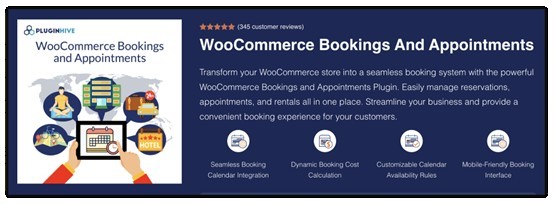
PluginHive WooCommerce Bookings and Appointments is a flexible scheduling plugin that supports a wide range of booking needs, including appointments, rentals, classes, events, and services. It offers multiple booking types, advanced availability controls, and strong calendar integrations, making it suitable for salons, hotels, consultants, rental businesses, and other service-based industries.
Key Features
| Feature | Description |
| Multiple Booking Types | Supports single-day, multi-day, hourly, start–end date, variable durations, recurring (add-on), and Multiple non-adjacent bookings (add-on). |
| Dynamic Pricing | Calculates pricing based on duration, number of people, added services, seasons, weekends, or specific dates/times. |
| Availability Rules | Block dates, time slots, weekdays/weekends, months, or custom seasons. |
| Calendar Sync | Two-way Google Calendar sync, plus iCal and Microsoft Outlook integration. |
| Staff & Resource Management | Assign staff members, rooms, or equipment with individual schedules and pricing logic. |
| Customizable Calendar & Fields | Customize calendar appearance and add extra form fields to collect additional details ( via PH product add-on). |
| Email Notifications | Automated confirmations, reminders, and cancellation notifications. |
| Deposits Support | Supports partial or security deposits through the PH Deposits plugin. |
| Search Availability | Allows customers to search based on preferred dates, services, or resources. |
| Multi-Vendor Support | Works with Dokan to manage vendor-level bookings. |
Pros
- Highly flexible booking structures
- Mobile-responsive interface
- Supports multilingual setups (WPML and Polylang compatible)
Cons
- Feature-rich, which may feel complex for basic use cases
Pricing: $149/year
2. WooCommerce Bookings (by WooCommerce)
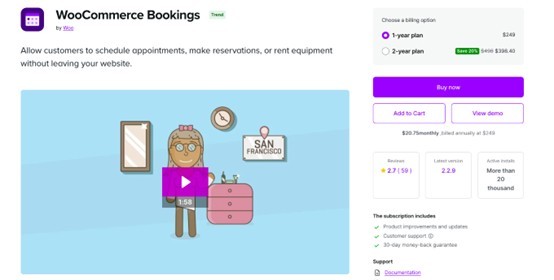
WooCommerce Bookings is the official WooCommerce scheduling plugin that enables stores to offer appointments, classes, tours, or rental bookings. It provides a clean, beginner-friendly interface with native WooCommerce compatibility, making it ideal for simple booking use cases.
Key Features
| Feature | Description |
| Booking Types | Book by day, hour, or minute. |
| Customer Time Selection | Customers choose available time slots. |
| Fixed Booking Durations | Ideal for tours, classes, and events. |
| Availability Rules | Block dates, hours, holidays, and add buffer time. |
| Group Bookings | Set minimum and maximum participants for group events. |
| Special Pricing | Group discounts, early-booking rates, weekend pricing. |
| Time Zone Support | Shows availability in customers’ local time zones. |
| Booking Confirmation | Optional admin approval before confirming bookings. |
| Cancellation Settings | Allow or restrict cancellations. |
| Email Notifications | Sends automated confirmations and reminders. |
| Resource Management | Prevent double bookings of shared resources. |
| Calendar View | Daily/monthly calendar options for booking management. |
| Manual Bookings | Add bookings manually for offline customers. |
| Google Calendar Sync | Sync bookings to Google Calendar. |
Pros
- Simple and easy to use
- Official WooCommerce support
- Clean, minimal interface
Cons
- Limited customization compared to competitors
- One-way Google sync only
- More expensive
Pricing: ₹22,609/year (≈ $249)
3. YITH Booking and Appointment for WooCommerce
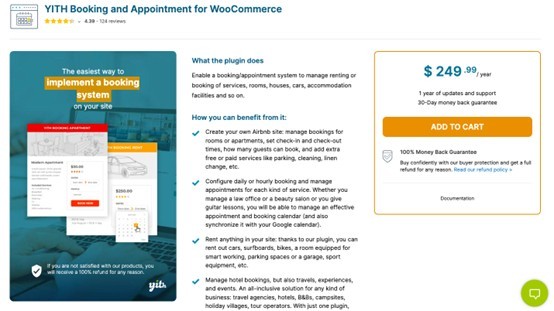
YITH Booking and Appointment for WooCommerce is a comprehensive booking solution ideal for hotels, rental properties, experience bookings, and service providers. Its advanced pricing rules and multi-platform sync capabilities make it perfect for businesses managing multiple listings across Airbnb, Booking.com, and Vrbo.
Key Features
| Feature | Description |
| Booking Duration | Supports bookings by minutes, hours, days, or months. |
| Resource & Personnel Management | Assign staff, rooms, or person types like adults/children. |
| Advanced Pricing Rules | Seasonal pricing, weekday pricing, group pricing, and date-range rules. |
| External Calendar Sync | Sync with Google Calendar, Airbnb, Booking.com, and Vrbo. |
| Minimum/Maximum Duration | Set minimum and maximum booking lengths. |
| Search & Filter Tools | Users can search for availability by date, service, or resource. |
| Email Notifications | Automated booking emails and reminders. |
| Multilingual Support | Fully compatible with multi-language and multi-currency setups. |
| Cancellation Settings | Allow or limit cancellations based on policy. |
| Extra Services | Add paid add-ons or additional services. |
Pros
- Excellent for hotels & property rentals
- Strong third-party platform sync
- Flexible pricing options
Cons
- Higher cost
- Occasional theme compatibility issues
Pricing: $249.99/year
4. RnB – WooCommerce Booking & Rental Plugin
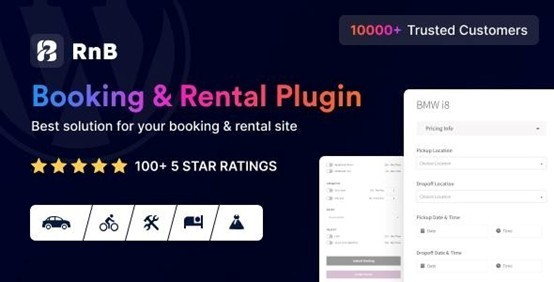
RnB – WooCommerce Booking & Rental Plugin is tailored specifically for rental businesses such as car/bike rentals, equipment hire, furniture rental, and more. It offers strong pricing logic, pickup/drop-off options, and inventory management.
Key Features
| Feature | Description |
| Rental Product Type | Adds a dedicated rental product option. |
| Pricing Models | Hourly, daily, flat-rate, seasonal, distance-based pricing. |
| Inventory Management | Track rental item availability and quantities. |
| Request for Quote | Customers can negotiate pricing. |
| iCal Sync | Helps prevent double bookings across platforms. |
| Blocking Rules | Block specific dates or time ranges. |
| Pickup & Dropoff | Specify times and locations for rental pickup/drop-off. |
| Security Deposits | Accept deposits for rental bookings. |
| Extra Services | Add optional accessories or services. |
| Min/Max Duration | Set minimum/maximum rental periods. |
Pros
- Best suited for rentals
- Strong inventory + pricing options
- Affordable
Cons
- Not built for appointment-based services
- UI is not as modern as alternatives
Pricing: $29 (one-time license)
5. Bookings for WooCommerce (by PluginRepublic)
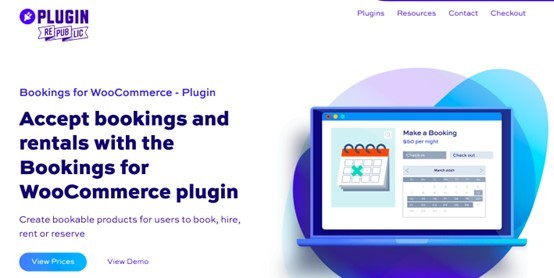
Bookings for WooCommerce by PluginRepublic focuses on rental-style bookings such as vacation properties, vehicles, and equipment. Its simple configuration and strong iCal sync make it ideal for rental businesses that list products across multiple platforms.
Key Features
| Feature | Description |
| Convert to Bookable Product | Convert any WooCommerce product into a booking item. |
| Booking Types | Supports hourly, daily, weekly, and nightly bookings. |
| Global Calendar View | View all bookings in one unified dashboard. |
| iCal Sync | Sync with Airbnb, Booking.com, and VRBO to avoid double bookings. |
| Fixed Duration Support | Useful for rental-based bookings with set durations. |
| Availability Rules | Block dates, time slots, or booking windows. |
| Pricing Rules | Duration-based and seasonal pricing. |
| Manual Bookings | Add bookings directly from the admin. |
| Email Notifications | Automated confirmations and updates. |
| Multi-Site Licensing | Basic & Pro versions available. |
Pros
- Built for rentals
- Reliable iCal sync
- Easy to configure
Cons
- Not ideal for service-based bookings
- Limited support for minute/hour-based appointments
Pricing: Start at $59/year.
Common Industry Use Cases
Different businesses have different booking needs, and choosing the right WooCommerce setup depends heavily on your use case. Here’s how booking plugins fit across industries:
1. Hotels & Vacation Rentals
For hotels, resorts, villas, and homestays, a booking system must handle longer stays and fluctuating demand efficiently.
- Date-based room and property reservations
- Seasonal pricing and peak-day adjustments
- Live availability calendars to avoid overbooking
2. Salons, Clinics & Service-Based Businesses
Service providers need precise time-slot management to keep operations smooth and organized.
- Hourly or slot-based appointment booking
- Consultation and medical scheduling
- Staff-wise availability and scheduling
- Automated reminders to minimize no-shows
3. Equipment & Vehicle Rentals
Rental businesses require strong control over inventory and pricing structures.
- Flexible hourly or daily rental options
- Real-time inventory tracking
- Additional services like deposits or add-ons
4. Classes, Training & Events
Educational and event-based businesses need structured scheduling with participant management.
- Group bookings with limited capacity
- Recurring sessions (weekly/monthly)
- Calendar-based scheduling for courses
- Attendee tracking and management
5. Multi-Vendor Marketplaces
Marketplaces powered by solutions like Dokan require independent booking management for each vendor.
- Vendor-specific booking calendars
- Individual pricing and availability controls
- Seamless service or rental marketplace workflows
6. Hybrid Business Models (Services + Rentals)
Many modern businesses combine services and rentals, requiring a more flexible system.
- Support for hourly, daily, and multi-day bookings
- Custom pricing based on duration and services
- Ideal for businesses like hotels with spas or rentals with add-on services
Conclusion
Choosing the best WooCommerce booking plugin comes down to your business needs, the level of flexibility you require, and the experience you want to offer your customers. The right solution not only simplifies booking management but also creates a smoother, more reliable journey for users. As online booking continues to grow in 2026, investing in a robust system can help you stay competitive, save time, and turn more visitors into confirmed bookings.

What's your reaction?
You may also like
-

Why Small Roofing Problems Can Become Harder to Diagnose When Homeowners Delay Repairs
-
Planning a Stair Lift for Shared Homes Without Disrupting Everyday Staircase Use
-
Managing Household Waste During Large Decluttering Projects Without Creating New Clutter
-
How to Plan Impact Door Installation Around Security, Access, and Everyday Household Routines
-
How Commercial Roofing Maintenance Planning Helps Property Managers Track Roof Conditions
-
Designing Privacy Around Street-Facing Windows Without Giving Up Useful Natural Daylight














Comments
0 comment