




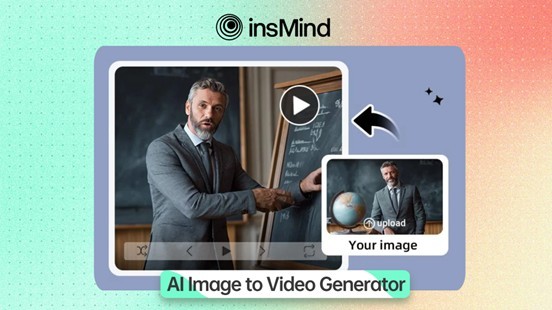
Small marketing teams are under more pressure than ever to create fresh video content quickly. They need product videos for ads, social clips for engagement, campaign visuals for launches, and short-form creative for constant testing. But how can a lean team keep up without a large production budget or a dedicated video department? That is where insMind Image to Video becomes such a practical starting point. Instead of treating video creation as a slow, resource-heavy process, teams can begin with the visual assets they already have and turn them into dynamic content much faster.
In 2026, the smartest workflow is not about using the most complex production setup from the start. It is about choosing the right level of AI support at each stage, so small teams can move faster, test more ideas, and scale quality only when they actually need to.
Part 1: Why small marketing teams need a different kind of video workflow
Large brands can afford full production cycles, specialist editors, and multiple rounds of revisions. Small teams usually cannot. They often work with a tighter budget, fewer people, and a longer list of responsibilities. One marketer may be handling campaign planning, creative strategy, publishing, and performance analysis all at once. In that environment, traditional video production can feel too heavy.
The challenge is not just making one good video. It is making enough useful videos across multiple channels. A single campaign may require paid social ads, landing page visuals, marketplace content, organic short-form clips, and retargeting creatives. On top of that, creative fatigue arrives quickly. Teams need new versions all the time.
That is why a smarter workflow matters. Small teams do not always need the most advanced setup first. They need a system that helps them start quickly, repurpose existing assets, and produce more creative without adding too much production friction. AI video tools are valuable here not because they sound impressive, but because they help solve a very real operational problem: limited time and limited bandwidth.
Part 2: Start with the fastest win, turning images into video
For many small marketing teams, the fastest way to create new video content is not to shoot more footage. It is to make better use of the visuals they already have. Product photos, campaign stills, lifestyle images, packaging shots, and hero assets are often sitting in folders long after a shoot ends. Why not turn those assets into motion content instead of starting from zero?
That is exactly why Image to Video should sit near the beginning of a smart AI workflow. It gives teams a simple entry point into video creation by transforming static visuals into more dynamic content. This is especially useful for ecommerce brands, content marketers, and small businesses that already invest in photography but do not always have the resources to produce video at the same pace.
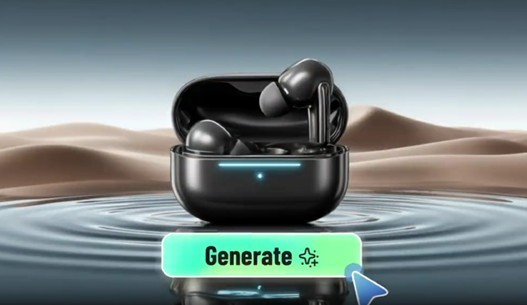
The appeal is not just speed. It is also accessibility. A team does not need to think like a professional editor to get useful output. They can begin with a strong image, generate movement from it, and create content that feels more suitable for social feeds, ad placements, and other motion-first channels. insMind also offers multiple advanced models inside the workflow, giving users more flexibility to match different creative goals and generate stronger-quality video results. For small teams, that combination of simplicity and model choice is a major advantage.
Part 3: Know when simple generation is enough and when it is time to expand
Not every project needs the same level of creative complexity. That is one of the biggest mistakes small teams make. They overcomplicate production too early. Sometimes, a fast video generated from an image is enough to test a hook, support a product launch, or refresh a campaign. In those cases, the smartest move is to keep the workflow light.
But what happens when the team needs more than simple motion? What if a campaign calls for richer scene generation, more advanced cinematic output, or more creative flexibility from the model itself? That is when it makes sense to expand beyond the most basic workflow and bring in stronger model options.
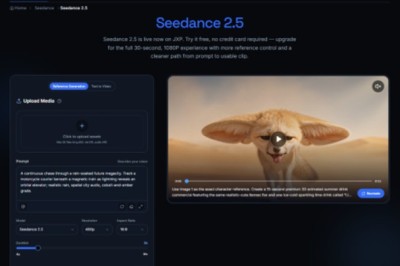
For example, Seedance 2.0 Video Generator is a natural recommendation when the team wants more advanced video generation capabilities and stronger visual results for larger campaign needs. It fits well when marketers need content that feels more ambitious, more expressive, or more tailored to a broader storytelling goal.
Likewise, Kling 3.0 Video Generator can be introduced when a team wants another advanced model option to explore different video styles, output behavior, or creative possibilities. For a small team, this is not about adding unnecessary complexity. It is about knowing that once a simple image-to-video workflow proves useful, there are more powerful model paths available inside the same broader ecosystem.
Part 4: Build a workflow that matches how small teams actually work
A smart AI workflow should reflect real team behavior, not an idealized studio process. Small marketing teams often move in cycles: launch something quickly, see what performs, improve the next version, and scale what works. The best workflow supports that rhythm.
A practical system might begin with existing campaign images. Those images become short-form motion assets through Image to Video. If a concept performs well and deserves a stronger second wave, the team can explore more advanced generation paths using Seedance 2.0 or Kling 3.0. That way, creative effort is spent according to actual performance, not guesswork.
This approach also helps with content planning. Instead of asking whether every asset needs to be premium from day one, teams can ask smarter questions. Which ideas deserve fast testing? Which campaign visuals need quick motion treatment? Which concepts have earned a higher production tier? Those questions lead to better resource allocation and less wasted effort.
The smartest workflow is not linear. It is layered. Teams start with efficiency, then scale quality and complexity only where the return justifies it. That is a much healthier model for small teams trying to stay agile.
Part 5: A scalable system matters more than a single tool
It is easy to think of AI video creation as a tool decision, but for small teams, it is really a systems decision. One good tool is helpful. A workflow that supports repeated output is even more valuable. Small teams need to know that they can produce content consistently, not just once.
That is why the combination matters. Image to Video works as the practical starting point because it helps teams move quickly from existing assets to usable creative. Seedance 2.0 and Kling 3.0 make sense as next-stage options when the team wants to expand quality, experiment with more advanced generation, or support a bigger campaign moment.
This kind of structure is far more realistic than forcing every project through the same heavy process. It gives small teams room to stay productive without feeling like every new video requires a full creative rebuild. And that may be the most important shift of all in 2026. The teams that win are not necessarily the ones with the biggest production resources. They are the ones with the clearest, most flexible workflow.
Conclusion
For small marketing teams, the smarter AI video workflow in 2026 starts with speed, not complexity. It begins by turning images into motion with Image to Video, then expands into more advanced options like Seedance 2.0 Video Generator and Kling 3.0 Video Generator only when the campaign actually calls for that extra creative range.
That balance is what makes the workflow sustainable. Small teams need more than impressive tools. They need a process that helps them create, test, and scale without constant production delays. For brands trying to do more with less, insMind offers a flexible video creation environment that matches how modern marketing teams really work.

What's your reaction?
You may also like
-

Why Small Roofing Problems Can Become Harder to Diagnose When Homeowners Delay Repairs
-
Planning a Stair Lift for Shared Homes Without Disrupting Everyday Staircase Use
-
Managing Household Waste During Large Decluttering Projects Without Creating New Clutter
-
How to Plan Impact Door Installation Around Security, Access, and Everyday Household Routines
-
How Commercial Roofing Maintenance Planning Helps Property Managers Track Roof Conditions
-
Designing Privacy Around Street-Facing Windows Without Giving Up Useful Natural Daylight











Comments
0 comment