




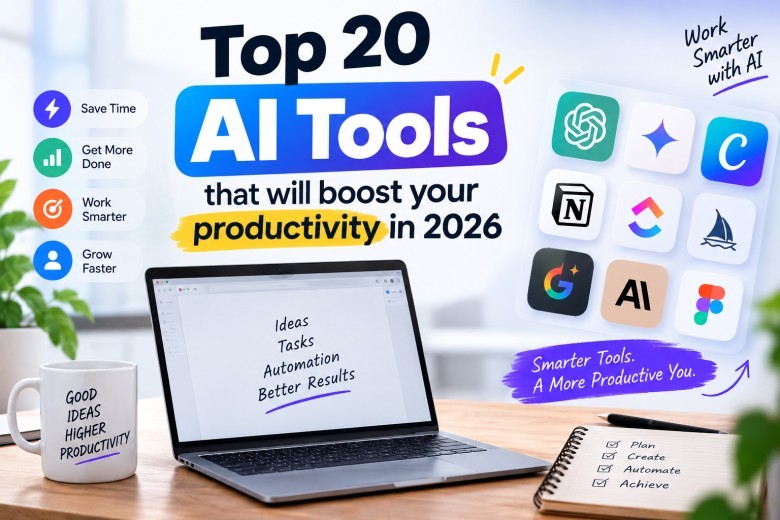
Most people I talk to are not short on AI tools. They have eleven tabs open, four subscriptions they forgot to cancel, and a nagging sense that they are somehow busier than they were before any of this arrived.
The tools below are the ones that survive contact with a real workweek. Some of them will be obvious. A few probably will not be, and those are usually the ones that end up saving the most time.
The general assistants you actually build around
1. ChatGPT
Still the default for a reason. It handles the widest range of tasks with the least setup, and the voice mode has quietly become the thing people use most on a commute. If you adopt exactly one AI tool this year and never open another, this is a defensible choice.
2. Claude
Better at long documents and careful writing. When I need something to read a 40 page contract, a messy client brief, or three months of meeting notes and give back something coherent, this is where I go. It also tends to say "I am not sure" instead of inventing a number, which matters more than it sounds.
3. Gemini
If your company lives in Google Workspace, this is the one that meets you where you already are. Sitting inside Docs, Sheets, and Gmail beats a slightly smarter model in a separate tab. Convenience wins more often than capability.
4. Perplexity
Search that answers with sources attached. Useful when you need a fact you intend to defend in a meeting. I still click through to the sources, because the summary is a starting point and not a citation.
Research and knowledge tools
5. NotebookLM
Upload your own documents and ask questions only about those. This is the one that surprises people. Feed it a stack of PDFs, past reports, and transcripts, and it becomes narrowly expert on your material instead of the entire internet. Excellent for onboarding, competitor research, and anything where the source needs to be yours.
6. Notion AI
If your team already writes in Notion, the AI layer removes the "where did we document that" problem. The value comes from the workspace being complete, not from the AI being clever. Half-empty Notion plus AI is still half-empty Notion.
7. Glean
Enterprise search across everything the company has: Slack, Drive, tickets, wikis. Overkill for a five person shop. For a hundred person company where nobody can find the 2024 pricing deck, it pays for itself in about a week.
Meetings, which are still the biggest time sink
8. Granola
Takes notes without joining the call as a visible bot. No awkward "Notetaker has entered the meeting" moment, which clients appreciate more than they say. It listens through your machine and cleans up whatever you typed.
9. Fireflies.ai
The more established option, with transcripts, searchable archives, and CRM integrations. Better if you need a record for compliance or handoff rather than a personal memory aid.
10. Krisp
Removes background noise both ways. Not glamorous. If you take calls from a co-working space, an airport, or a house with a dog in it, it does more for your professional credibility than any productivity framework.
Time and task management
11. Motion
Turns your task list into an actual calendar and reschedules automatically when the day falls apart. It works if you commit to it fully. Half-using Motion is worse than not using it, because the plan stops matching reality and you stop trusting it.
12. Reclaim.ai
Gentler than Motion. It defends focus blocks and shuffles flexible meetings around them without taking over your whole system. Good middle ground for people who want help, not a new religion.
13. Todoist
Old-school task capture with AI features layered on top. Type "call the printer Thursday at 3" and it parses correctly. Nothing revolutionary, but frictionless capture is where most personal systems break down.
Automation, where the quiet wins live
14. Zapier
Connects apps that do not talk to each other. The AI additions help you describe an automation in plain language and get a working version. Most small businesses have three or four repetitive handoffs that could disappear in an afternoon here.
15. Make
More visual and usually cheaper at volume, with a steeper learning curve. If your automations have branches and conditions, this handles complexity better.
Building things without a developer
16. Cursor
An editor built around AI assistance. Developers on my radar have mostly stopped debating this one. It is not that it writes perfect code. It removes the twenty minutes you spend remembering how a library works.
17. GitHub Copilot
Autocomplete that understands intent. Best for people who already code and want less typing. Not a substitute for knowing what the code should do.
Design, decks, and content
18. Canva
The AI features inside Canva have grown faster than most standalone design tools. Background removal, resizing across formats, and brand kits mean a small team can ship decent social assets without a designer on payroll.
19. Gamma
Presentations from an outline. The output is not agency quality, but for an internal update or a client check-in, it turns two hours into fifteen minutes.
20. ElevenLabs
Voice generation that no longer sounds like a GPS unit. Useful for turning written content into audio, localising videos, and prototyping voiceover before you book a real person.
A note on how these fit a small business
Running Local SEO Services, I have watched clients adopt eight tools and get less done than clients who adopted two. The pattern is consistent enough that I now say it out loud in kickoff calls.
The tools that stick for small local businesses are almost never the exciting ones. A restaurant owner does not need a code editor. What she needs is something that drafts replies to fifteen Google reviews in her own voice, keeps her business hours accurate across listings, and turns one photo shoot into a month of social posts. That is Canva, one general assistant, and a Zapier automation that pings her when a new review lands. Three tools, maybe an hour a week saved on each, and the whole thing costs less than a single dinner service.
The other thing worth saying: AI has not changed which local search signals matter. Reviews, accurate listings, proximity, and pages that answer real customer questions still decide whether you show up in the map pack. AI helps you produce and maintain those things faster. It does not replace them, and any tool marketed as a shortcut past them is selling something.
How to actually choose
Pick your worst hour of the week. Not your most important hour, your worst one. The one you dread, do badly, and postpone. Then find the single tool that removes it.
Run it for a month before adding a second. Cancel anything you have not opened in three weeks, and be honest about that count instead of generous.
Most of the productivity gain from this list comes from two or three tools used properly. The rest is a subscription you will forget about until you audit the company card in December.
About the author:
Local SEO Services is a results-driven digital marketing agency specializing in Local SEO, Technical SEO, Google Business Profile optimization, content marketing, and link building. We help businesses improve their online visibility, rank higher in local search results, and generate qualified leads through data-driven SEO strategies. Our team works with businesses across multiple industries to build sustainable organic growth and long-term search engine success. Learn more at Local SEO Services

What's your reaction?
You may also like
-

How Car Accident Lawyers Help Injured Victims Recover Fair Compensation
-
How to Respond After Being Charged With Assault Family Violence
-
7 Steps San Angelo Injury Victims Should Take After an Accident
-
A Guide to Crafting Authentic and Professional AI Marketing Content
-
What Jordan Traffic Rules Should Rental Car Drivers Follow?
-
Move-Out Cleaning Becomes a Different Job Once the Furniture Is Gone












Comments
0 comment