




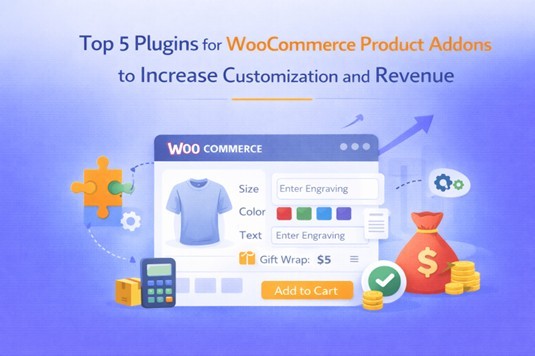
When you sell products online, one of the biggest challenges is giving your customers exactly what they want. Not everyone will be happy with the default options, and many shoppers are looking for personalization, upgrades, or extra features. This is where WooCommerce product addons come into play.
They allow you to add extra fields, options, or choices directly on the product page, helping your customers create a version of the product that feels uniquely theirs. Stores that sell personalized gifts, custom apparel, electronics with multiple accessories, or even food items with optional add-ons benefit the most.
Without these addons, you risk losing potential sales because the default product fields can feel too limiting. Whether it’s a monogram on a mug, color choices on a t-shirt, or extra toppings on a cake, product addons let your customers tailor their purchase without leaving your store.
Best WooCommerce Product Addons Plugins to Enhance Your Store
There are many plugins available that provide extra product options, but some stand out for their flexibility, features, and ease of use. Here’s a closer look at the top five, keeping Extendons as the centerpiece:
1. Extendons Product Addons and Extra Options for WooCommerce
- Add unlimited product options with 19 types of fields, including text, dropdown, checkbox, radio buttons, color and image swatches, file upload, and more.
- Apply conditional logic to show or hide fields based on what customers select.
- Flexible pricing options: free, fixed, percentage, per quantity, or even per character for custom text.
- Manage stock for each addon option so customers only see what’s available.
- Assign rules to individual products, entire categories, or even specific user roles.
- Preselect default options for certain fields and add tooltips for better guidance.
This plugin is ideal if you want full control over customization, pricing, and display without overwhelming your product pages.
2. FmeAddons Product Addons and Custom Fields Manager
- Add unlimited custom fields for products with 19 field types, including swatches, file uploads, text fields, and more.
- Conditional logic ensures only relevant options appear, depending on previous selections.
- Assign pricing for each custom field, with flexible options for fixed or percentage-based fees.
- Organize rules for products or categories and sort field display order.
- Make fields mandatory or optional depending on your store’s needs.
It’s perfect for stores that want precise control over how and where options appear while keeping things easy for both the store manager and customer.
3. Smart Custom Product Addons and Fields
- Supports multiple field types and groups, including checkboxes, dropdowns, color options, and text areas.
- Conditional logic lets you display fields based on customer choices.
- Flexible pricing with quantity-based and per-option pricing.
- Easy backend management of rules and field groups.
- Great for stores with many products needing grouped options.
4. Advanced Product Fields for WooCommerce
- Create custom fields for products or categories and apply conditional logic for visibility.
- Set flexible pricing per field with fixed or percentage options.
- Supports stock management for add-ons and works with variable products.
- Suitable for stores that need precise rules for multiple fields per product.
5. PH WooCommerce Product Addons
- Add custom text fields, dropdowns, checkboxes, and radio buttons.
- Conditional logic and multi-level dependencies for complex setups.
- Price per option or per quantity.
- Works well with multilingual stores and grouped field setups.
- Ideal for stores that want advanced options and flexibility in one plugin.
All of these plugins provide a way to give customers choice, but Extendons stands out due to its combination of field variety, flexible pricing, conditional logic, and stock management in one smooth interface.
Key Features You Should Expect in a Product Addons Plugin
When looking at product add on WooCommerce plugins, there are several essential features that make them worth the investment:
- Variety of field types: Text, checkboxes, dropdowns, radio buttons, color swatches, file uploads, and more.
- Conditional logic: Show or hide options based on customer selections to keep the product page clean.
- Flexible pricing options: Offer free options, fixed prices, percentage-based fees, quantity-based calculations, or per-character pricing.
- Stock management: Ensure customers only select available options.
- Assign options to products, categories, or user roles: Save time by applying rules globally or individually.
- Tooltips and default selections: Improve customer experience and guide them through options.
- Display control: Decide whether to show addon prices with the product or separately and whether fields appear on cart, checkout, or order detail pages.
These features ensure your store can handle even the most complex product setups without confusing your customers or cluttering your pages.
Installing and Setting Up Your Product Addons Plugin
Getting started with Extendons Product Addons and Extra Options is straightforward:
- Install the Plugin: Use the “Add to store” button from WooCommerce.com after purchase. It automatically activates and integrates into your store.
- Access Addons Settings: Go to WooCommerce > Settings > Products > Product Addons.
- Create a Rule: Click Add New, name your rule, assign it to specific products or categories, and set the display order.
- Add Fields: Click Add New Option and select a field type. Configure title, pricing, conditional logic, stock limits, visibility, and help tooltips.
- Set Conditional Logic or Defaults: Make fields appear only when relevant or preselect common choices to speed up the purchase process.
- Test the Product Page: Make sure the fields display correctly, pricing updates dynamically, and stock levels are accurate.
Following the official documentation ensures you can configure each option correctly, avoid conflicts, and provide the best experience for customers.
Clearing Confusion About Product Addons
Sometimes, store owners get overwhelmed by the number of options available. Questions like, “Do I need a separate plugin for colors?” or “Can I charge per character for text fields?” are common.
The truth is, a robust WooCommerce product addons plugin like Extendons handles all these scenarios in one place. You don’t need multiple extensions or complicated workarounds. Understanding the features, reading the documentation carefully, and testing your setup will remove any confusion.
Once it’s configured, your store will be flexible, professional, and ready to handle personalized customer choices with ease.

What's your reaction?
You may also like
-

Why Small Roofing Problems Can Become Harder to Diagnose When Homeowners Delay Repairs
-
Planning a Stair Lift for Shared Homes Without Disrupting Everyday Staircase Use
-
Managing Household Waste During Large Decluttering Projects Without Creating New Clutter
-
How to Plan Impact Door Installation Around Security, Access, and Everyday Household Routines
-
How Commercial Roofing Maintenance Planning Helps Property Managers Track Roof Conditions
-
Designing Privacy Around Street-Facing Windows Without Giving Up Useful Natural Daylight
















Comments
0 comment