




If you're running a small WooCommerce store, shipping is probably the one thing that takes more of your time than it should. Between looking up carrier rates, printing labels, and copying tracking numbers into emails, it adds up. Fast.
The good news? The right shipping plugin handles all of that automatically. But with so many options out there, it's worth knowing which ones are actually worth installing, and which ones are better suited for enterprise stores with entirely different needs.
This guide focuses specifically on small businesses: stores that want something that works right out of the box, doesn't require a developer, and won't blow the budget.
What Should a WooCommerce Shipping Plugin Actually Do?
Before jumping into the list, it helps to know what you're evaluating. A solid shipping plugin for a small business should:
- Display live carrier rates at checkout: so customers pay the accurate amount, not an estimate you manually set months ago
- Generate and print shipping labels: directly from your WooCommerce dashboard, without logging into carrier websites
- Send tracking updates automatically: so you're not manually copying tracking numbers into emails
- Support the carriers you actually use: not just the big global ones, but regional carriers too, if relevant to your market
- Be easy to configure: without needing to touch code
If a plugin checks those boxes, it earns a closer look. Here's what's worth your attention in 2026.
Best WooCommerce Shipping Plugins for Small Businesses
1. WooCommerce Shipping Services by PluginHive
Best for: Small businesses wanting an all-in-one multi-carrier solution
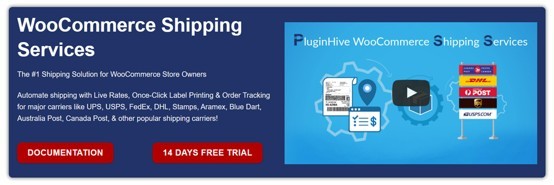
This is one of the most complete shipping plugins available for WooCommerce stores. It handles real-time rate fetching, one-click bulk label printing, package automation, and automatic tracking updates, all from a single dashboard.
What makes it particularly useful for small businesses is the carrier coverage. It supports UPS, USPS, FedEx, DHL Express, Aramex, Blue Dart, Australia Post, Canada Post, and 50+ carriers worldwide. So whether you're shipping domestically or internationally, you're not scrambling to install separate plugins for each carrier.
The setup is straightforward, and the interface doesn't assume you have a logistics background to use it effectively.
Pricing: Starts at $9/month. Monthly and yearly plans are available.
2. WooCommerce UPS Shipping Plugin with Print Label
Best for: Stores that rely primarily on UPS
If UPS is your main carrier, this plugin is worth bookmarking. It's UPS Ready® certified, which means it's been tested and approved by UPS directly, not just a third-party integration built on guesswork.
It fetches live UPS rates at checkout, handles label generation, and manages return shipments. It also integrates with WooCommerce Bookings, which is useful if your store ships physical products tied to appointments or reservations.
One thing small business owners appreciate: bulk label printing. If you're processing a batch of orders at once, this saves a meaningful amount of time.
Pricing: $99/year. Includes updates, premium support, and a 30-day money-back guarantee.
3. FedEx Shipping Plugin for WooCommerce with Print Label
Best for: FedEx-first stores shipping locally and internationally
This plugin is officially FedEx-certified, and it shows in the feature depth. You get live rate display, label generation (including return labels), address validation, delivery estimates, and insurance options, without any manual workarounds.
It supports FedEx SmartPost, LTL Freight, one rate, and hazardous goods shipping, which matters if your products fall into any specialty category.
For small businesses shipping internationally, the built-in address validation alone is worth the annual fee. Fewer address errors means fewer failed deliveries and refund headaches.
Pricing: $99/year for a single-site license.
4. WooCommerce Shipping by Woo
Best for: Very small stores just getting started
This is WooCommerce's own built-in shipping tool, and it's free. You only pay for the labels you print; there's no subscription.
It supports USPS, UPS, and DHL label printing directly from your dashboard. For stores that are just launching or shipping a small volume of orders, it removes all the friction of setting up a third-party plugin.
The trade-off is limited customization. You won't get advanced rate rules, multi-carrier comparison, or deep automation. But as a starting point, especially for US-based stores, it covers the basics without any cost.
Pricing: Free. Pay only for labels printed.
5. Multi-Carrier Shipping Plugin for WooCommerce
Best for: Growing stores with multiple carriers and complex shipping setups
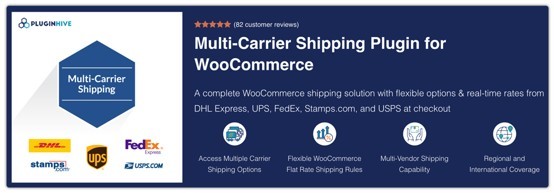
If your store has outgrown a single-carrier plugin, this is the natural next step. It connects WooCommerce to FedEx, UPS, USPS, DHL Express, and Stamps.com simultaneously, letting you compare live rates across all of them at checkout.
Beyond rate comparison, it includes rule-based shipping logic (useful for offering free shipping above certain thresholds), warehouse management support, and multi-currency compatibility. That last feature matters a lot if you're selling across regions with different pricing expectations.
It's a bit more to configure than a single-carrier plugin, but the documentation is solid, and most small business owners can get it running without developer help.
Pricing: $99/year with updates and premium support.
6. PH Australia Post MyPost Business Shipping for WooCommerce
Best for: Australian merchants using MyPost Business

If you're based in Australia and ship through Australia Post's MyPost Business program, this plugin makes the process significantly less manual. It's approved by Australia Post and automates rate display, label generation, and customer tracking notifications.
It also handles bulk label printing and pickup scheduling, two features that save real time once order volume starts climbing. Custom handling fees and discounts are configurable, which gives you control over shipping margins without touching core WooCommerce settings.
Pricing: $99/year for a single-site license.
7. Advanced Flat Rate Shipping Plugin for WooCommerce
Best for: Stores that prefer fixed shipping costs over live carrier rates
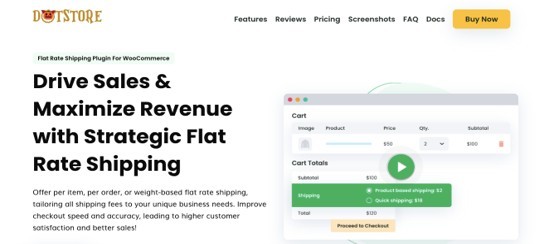
Not every store needs live carrier rates. If you'd rather offer a predictable flat rate or build shipping cost into product pricing, this plugin gives you a clean, rule-based way to do it.
You can set rates based on order total, item quantity, product weight, destination zone, or customer role. Time-based promotions (like free shipping during a sale period) are also supported.
It's a good fit for stores that ship physical products of roughly similar size and weight, where carrier rate variability isn't a customer concern.
Pricing: Starts at $159/year with a 14-day money-back guarantee.
8. PH Table Rate Shipping Pro for WooCommerce
Best for: Stores with complex shipping rules across multiple product types or regions
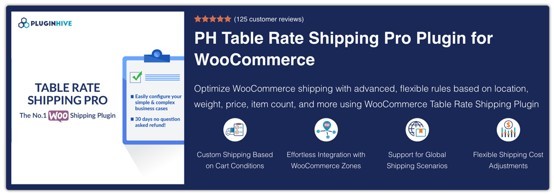
Table rate shipping is for stores where flat rate doesn't cut it, but live carrier rates aren't quite right either. You define your own rate tables based on weight, destination, quantity, or order value, as many rules as you need.
It integrates with WooCommerce shipping zones and classes, so you can apply different rate structures to different product categories or geographic regions without conflicts.
Pricing: $99/year with a 30-day money-back guarantee.
9. ELEX EasyPost WooCommerce Shipping Plugin
Best for: Stores that want a consolidated API approach to multi-carrier shipping
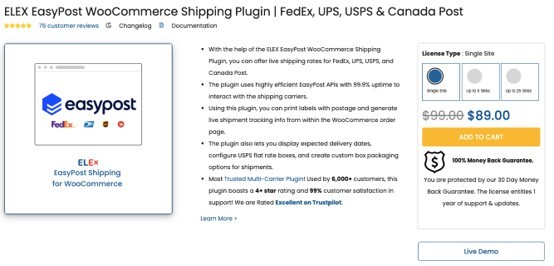
EasyPost acts as a single API connecting your store to FedEx, UPS, USPS, and Canada Post. Rather than managing separate accounts and integrations for each carrier, everything flows through one connection.
You get live rates, label printing, and tracking — plus delivery estimates, insurance options, and custom parcel packaging. It's a dependable choice if you want automation without managing multiple carrier accounts independently.
Pricing: Starts at $89/year.
10. Shippo
Best for: Stores that want a cloud-based solution with broad carrier access
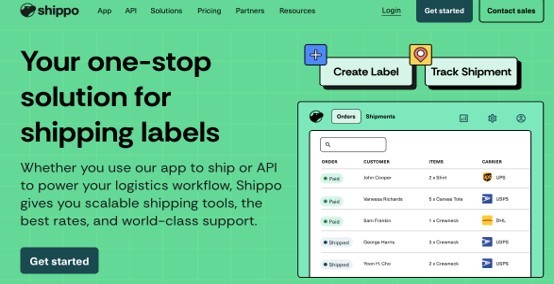
Shippo is a well-established shipping platform used by over 300,000 merchants globally. The WooCommerce integration connects your store to 40+ carriers, including USPS, UPS, FedEx, and DHL.
It handles bulk label creation, real-time tracking, and automatic order syncing. The discounted carrier rates it offers can offset the cost of the subscription for stores shipping in volume.
Pricing: Starts at $10/month with pay-as-you-go options available.
Quick Comparison: Which Plugin Fits Your Situation?
| Situation | Best Option |
| Just starting, low budget | WooCommerce Shipping by Woo |
| Primarily shipping via UPS | WooCommerce UPS Shipping Plugin |
| Primarily shipping via FedEx | FedEx Shipping Plugin for WooCommerce |
| Multiple carriers, growing store | WooCommerce Shipping Services |
| Australia Post users | PH Australia Post MyPost Business |
| Fixed shipping rates preferred | Advanced Flat Rate Shipping Plugin |
| Complex regional/weight-based rules | PH Table Rate Shipping Pro |
| Consolidated carrier API | ELEX EasyPost Plugin |
| High-volume, cloud-based management | Shippo |
Frequently Asked Questions
1. Which WooCommerce shipping plugin is best for a small business on a tight budget?
WooCommerce Shipping by Woo is the most budget-friendly option since it's free; you only pay per label. For stores that need more automation and multi-carrier support, WooCommerce Shipping Services starts at $9/month and covers most small business needs without a high upfront cost.
2. Can I use multiple shipping plugins at the same time in WooCommerce?
Generally, it's better to avoid running multiple rate-fetching plugins simultaneously as they can conflict at checkout. Most all-in-one plugins like the Multi-Carrier Shipping Plugin handle several carriers within a single integration, which is the cleaner approach.
3. Do WooCommerce shipping plugins work for international shipping?
Yes, most of the plugins listed here support international shipping zones and customs documentation. The FedEx Shipping plugin, WooCommerce Shipping Services, PH UPS Shipping Plugin, and Multi-Carrier Shipping Plugin are particularly well-suited for stores selling across borders.
4. What is the difference between flat rate and real-time rate shipping plugins?
Real-time rate plugins fetch live pricing directly from carrier APIs (UPS, FedEx, USPS, etc.) at the moment a customer checks out. Flat rate plugins let you define fixed charges based on your own rules. Real-time rates are more accurate; flat rates are more predictable and easier to explain to customers.
5. Do these plugins work with WooCommerce's native shipping zones?
Yes. All the plugins listed here are compatible with WooCommerce's built-in shipping zones and classes, so you can apply different shipping logic to different regions without rebuilding your setup.
What to Look for When Choosing
There's no universal "best" plugin; it depends on your carrier relationships, shipping volume, product types, and the markets you serve. A few things worth checking before you commit:
- Does it support your career? Sounds obvious, but verify before purchasing. Some plugins focus on US carriers only.
- Is there a free trial or money-back guarantee? Several of the options above offer 14–30 day guarantees, which let you test against your actual order flow.
- How is the support? Shipping issues affect customers directly. A plugin with responsive support is worth a small premium over a cheaper option that leaves you troubleshooting alone.
- Will it scale? If you're expecting growth, choose something that handles higher volumes and more complex rules without requiring a full migration later.
Wrapping Up
Shipping doesn't have to be a part of running a WooCommerce store that drains your time. The plugins above cover everything from simple label printing for brand-new stores to full multi-carrier automation for businesses processing hundreds of orders a week.
Start by identifying which carriers you use, whether you need live rates or fixed pricing, and how much setup complexity you're comfortable with. From there, the right plugin becomes a much easier choice.
Most importantly, once your shipping is automated, you get that time back, and you can spend it on the parts of the business that actually need you.

What's your reaction?
You may also like
-

10 Proven Strategies Accelerated Growth Advisors Recommend for Every MCA Firm
-
How Imaging Services Help Diagnose Medical Conditions
-
How to Plan Stress-Free Airport Transportation for Families With Young Children
-
Smart Business Growth: How to Scale Customer Support Without Increasing Overhead
-
Essentials Hoodie for Everyday Layering: Stylish Outfit Ideas for Every Season
-
Cloudways BFCM 2026: 80% OFF for 2 Months + Unlimited Migrations








Comments
0 comment