




Creative work often slows down at the same point: the idea is clear, but the path from a rough image to a usable asset is still too manual. A modernAI Photo Editor becomes valuable in that gap. Instead of forcing users through a long software workflow, it turns editing into a shorter loop of upload, instruction, revision, and comparison. That does not remove the need for judgment, but it does reduce the distance between concept and result.
What makes this especially useful is not simply automation. It is the way the platform combines several kinds of image work in one place. Basic cleanup, generative edits, style changes, upscaling, background removal, object erasure, and even image-to-video animation can sit inside the same workflow. For users who already know what they want to change but do not want to spend unnecessary time navigating complex layers and menus, that creates a different kind of efficiency.
The practical appeal is easy to understand. Many people do not need a full design suite every time they edit a picture. They need a way to make an image sharper, remove distractions, change style direction, or generate a more polished version without rebuilding the visual from scratch. In my reading of the platform, that is the real promise here: not replacing visual thinking, but making visual iteration easier to access.

What Makes This Editing Model Different
Traditional editing software assumes that control should come first and speed second. That logic still makes sense for highly technical work, but it is not always ideal for everyday creative production. PicEditor is built around a different assumption: users often want to describe the change they need, select a suitable tool or model, and let the system do most of the heavy lifting.
That shift matters because the platform is not limited to one narrow editing action. It presents itself as an all-in-one environment where image enhancement and generative transformation live side by side. In practical terms, that means a user can sharpen a picture, remove a distracting object, test a different visual style, and then animate the result into a short video sequence without moving across several unrelated products.
A Platform Built Around Model Choice
One of the more important ideas behind the product is that not all AI models are equally useful for every task. Instead of treating image editing as a single engine problem, the platform brings together different model families for different kinds of output.
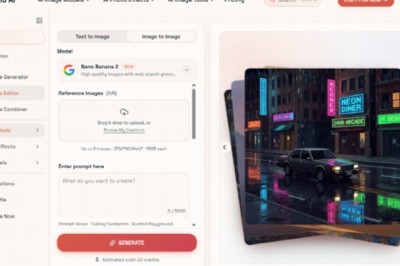
For image work, the site highlights options such as GPT-4o, Nano Banana, Nano Banana 2, Flux Kontext Pro, Flux Kontext Max, Seedream 4.0, Seedream 5.0 Lite, Qwen Image Edit, and Grok Imagine Image. For video generation, it lists Veo 3, Veo 3.1 Basic, Veo 3.1 Premium, Kling 2.5, Kling 2.1 Pro, Kling 2.1 Master, Seedance 1.0 Lite, Seedance 1.0 Pro, Seedance 1.5 Pro, Wan 2.5, Runway Gen 4, and Grok Imagine Video.
That matters because the platform’s value is not only in editing a picture. It is in giving users a common workspace where they can choose a faster model, a more controllable model, or a video-capable model depending on the job.
Where Specific Models Seem Most Useful
AI Image Editor gives enough clues to show that different engines are meant for different priorities.
Nano Banana for Consistency and Realism
Nano Banana is presented as a model for hyper-realistic detail, style transfer, and character consistency. The platform also notes support for up to four reference images, which is especially relevant when a user wants edits that preserve identity or maintain a stable look across variations. For brand visuals, portraits, or repeatable character work, that kind of consistency matters more than raw novelty.
Flux for Precise Context-Aware Edits
Flux is positioned more around precision. The descriptions emphasize context-aware editing, text-in-image replacement, and object-level control. In practice, that suggests a stronger fit for users who are not simply asking for a new style, but for a very specific correction inside an already-defined composition.
Seedream for Fast Iteration Cycles
Seedream appears to be framed around speed and rapid iteration. That makes sense for users testing multiple directions, producing volume, or refining ideas under time pressure. Speed alone is not quality, but in many real workflows, speed creates the space needed to discover the stronger version.

How the Official Workflow Actually Works
The platform’s official usage logic is simple, which is probably part of its appeal. It does not ask users to learn a complicated production pipeline before getting value.
Step One Upload the Starting Image
The process begins with an uploaded image. This matters because the platform is not only about generating from nothing. It is also about transforming, correcting, or extending an existing visual that already contains subject, framing, lighting, and mood.
Step Two Choose the Tool or Model
After upload, the user selects the type of modification. Depending on the task, that can mean a classic editing function such as enhancement or object removal, or it can mean selecting a specific AI model for a more generative result. This is where the product feels less like a single editor and more like a routing layer across different creative engines.
Step Three Describe the Intended Change
The site explains that the user then describes the edit. That description acts as direction rather than code. It tells the system what to change, what to preserve, or what kind of output is desired. This is also where result quality can vary. In my experience with tools of this category, a vague prompt often leads to a vague result, while a clear prompt usually improves reliability.
Step Four Review and Iterate the Output
The platform then analyzes the picture and applies the edit. For video, the process extends this logic by analyzing the uploaded image and generating motion based on the prompt. That is conceptually simple, but it also hints at a limitation: one generation is not always the final answer. Sometimes the first result is usable, and sometimes the better version appears after a second or third attempt.
Where This Approach Helps Most
The strongest use case is not “replace all creative work with one click.” The stronger case is reducing repetitive production friction.
| Need | Traditional Workflow | Platform Approach | Practical Benefit |
| Basic photo cleanup | Manual retouching steps | AI enhancement and retouching tools | Faster correction |
| Remove distractions | Layered object editing | Object eraser and targeted edits | Less manual masking |
| Change style direction | Rebuild or repaint image | Style transfer and model switching | Easier visual experimentation |
| Keep character consistency | Recreate look repeatedly | Reference-image support | More stable identity |
| Turn still image into motion | Separate video pipeline | Integrated image-to-video tools | Fewer workflow breaks |
This is why the product may appeal to creators, marketers, designers, and small teams alike. A campaign image can be cleaned up, restyled, enlarged, and animated without jumping across unrelated software environments. That does not guarantee perfect output, but it does make experimentation cheaper in terms of time.

Why Image and Video Together Matter
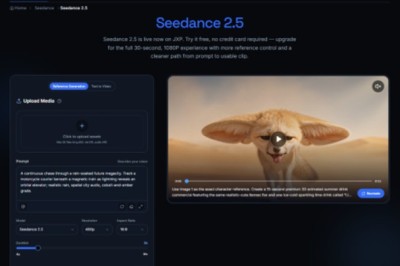
A notable part of the platform is that it does not stop at image editing. It also includes video-capable models such as Veo, Kling, Seedance, Wan, and Runway. That changes the role of a still image. It is no longer only a finished static asset. It can become the starting frame for motion content.
Still Images Become Reusable Creative Assets
This is especially useful when teams already have approved imagery. Instead of organizing a separate production process for every motion experiment, they can use the same visual base and test animated outputs from it. That can be valuable for social media, product promotion, or short-form storytelling where quick iteration matters more than full cinematic control.
Audio and Motion Expand the Output Range
The pricing and model sections also mention capabilities such as native audio generation for Veo 3 and frame control for Veo 3.1 Basic. Those details suggest that the video side is not only decorative. It is trying to offer more structured motion generation rather than a purely superficial animation effect.
What Users Should Keep in Mind
The platform is easy to understand, but that does not mean every result will be perfect on the first pass. AI-assisted editing still depends heavily on prompt quality, source image quality, and the fit between task and model. A user who expects exact timeline-style control may still find some generative outputs less predictable than manual editing software.
There is also a practical pricing dimension. The service is free to start, but premium tiers unlock broader access, lower effective image cost, more concurrent generations, no watermark, private generation, commercial license, and priority processing. That structure makes sense, but it also means heavy users should think of the platform less as a toy and more as a production tool with workflow economics.
Why This Kind of Tool Feels Timely
What stands out most is not any single feature. It is the larger direction of the product. Creative software is moving toward systems where users choose intent first and tool complexity second. PicEditor fits that shift well. It combines enhancement, transformation, precision editing, and animation in one interface, while letting different models serve different kinds of work.
That makes the platform easier to understand than many broader creative suites. It does not try to impress by making editing look mysterious. It makes the process legible: upload, choose, describe, generate, compare. For many users, that is enough of a change to make image work feel more flexible, less technical, and more iterative in the right way.

What's your reaction?
You may also like
-

Why Small Roofing Problems Can Become Harder to Diagnose When Homeowners Delay Repairs
-
Planning a Stair Lift for Shared Homes Without Disrupting Everyday Staircase Use
-
Managing Household Waste During Large Decluttering Projects Without Creating New Clutter
-
How to Plan Impact Door Installation Around Security, Access, and Everyday Household Routines
-
How Commercial Roofing Maintenance Planning Helps Property Managers Track Roof Conditions
-
Designing Privacy Around Street-Facing Windows Without Giving Up Useful Natural Daylight














Comments
0 comment